

Latest Version
2025.10.24.620536569
November 03, 2025
Google LLC
Communication
90 MB
500,000,000
Free
com.google.android.apps.messaging
Report a Problem
More About Google Messages
Google Messages is the official messaging app developed by Google LLC, designed to make texting simple, fast, and secure. With over 5 billion downloads, it’s the default SMS and MMS app on most Android devices — now upgraded with RCS (Rich Communication Services) features that turn regular texting into a smart, modern chat experience.
Whether you’re sending a quick text, sharing a photo, or starting a group conversation, Google Messages helps you stay connected with a sleek design, smart replies, and advanced security.
💬 Next-Level Messaging with RCS Chat
Google Messages brings RCS technology to your Android phone, upgrading your regular SMS into chat messages that feel like WhatsApp or Messenger — but without needing a separate account.
With RCS enabled, you can:
-
See typing indicators and read receipts.
-
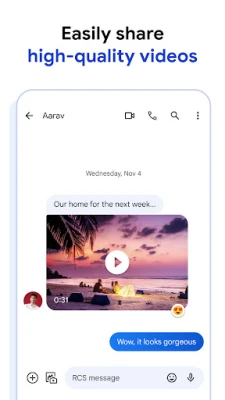
Share high-resolution images and videos.
-
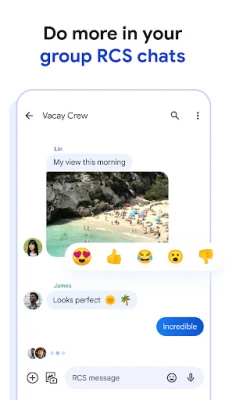
Create group chats with instant sync.
-
Chat over Wi-Fi or mobile data.
RCS chat makes texting feel smoother, faster, and more interactive — giving you a real-time conversation experience.
🔒 Private & Encrypted Conversations
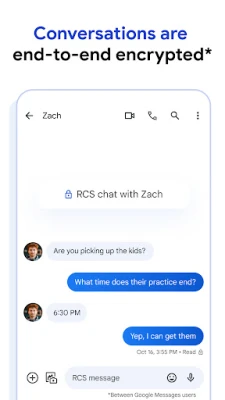
Your privacy comes first. Google Messages includes end-to-end encryption for one-on-one RCS chats, meaning only you and the person you’re talking to can read your messages. Even Google can’t see what you send or receive.
When encryption is active, you’ll see a small lock icon next to your messages for complete peace of mind.
📸 Rich Media Sharing Made Easy
Send and receive photos, videos, voice notes, emojis, stickers, and GIFs effortlessly. You can even share your location, contacts, or files directly within the chat window.
Google Messages integrates smoothly with Google Photos, letting you share full-quality images without losing detail or compression.
🧠 Smart Replies & Message Suggestions
Tired of typing the same phrases again and again? Google Messages uses Google AI to provide Smart Replies — quick, context-aware responses you can send with one tap.
You’ll also get suggestions for stickers, emojis, or quick actions, making chats more fun and natural.
🎨 Simple, Clean, and Modern Interface
The app’s minimalist design makes communication effortless. Conversations are neatly organized, and the interface supports light and dark themes, message pinning, and archiving options to keep your inbox tidy.
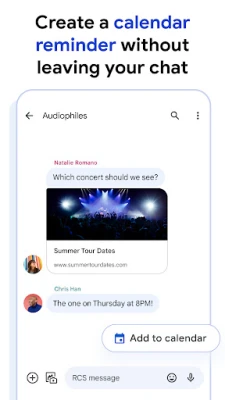
You can also schedule messages to send later — perfect for reminders or professional messages.
👥 Group Chats and Seamless Sync
Create group chats to stay connected with friends, family, or colleagues. Share updates, media, and replies instantly.
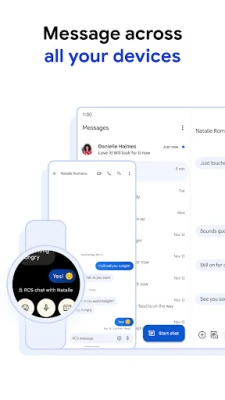
If you use multiple devices, Google Messages for Web lets you sync your chats on your computer. Just scan a QR code to start texting from your browser.
🗂️ Organized Inbox with Smart Features
Google Messages helps you keep your inbox clutter-free with:
-
Automatic message categorization (Personal, Transactions, OTPs, etc.)
-
One-tap message search
-
Auto-deletion of OTPs after 24 hours (optional)
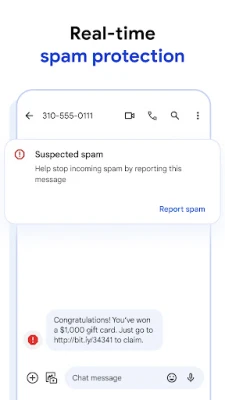
These features make it easy to find what matters and get rid of spam or expired messages.
🌍 Global Communication Without Limits
Since Google Messages supports both SMS/MMS and RCS, it works with everyone — even if your contact doesn’t use the same app.
You can text any phone number worldwide without worrying about compatibility issues.
📱 Key Features at a Glance:
-
Free SMS, MMS, and RCS chat support
-
End-to-end encrypted private chats
-
Smart replies powered by Google AI
-
Group messaging and file sharing
-
Message scheduling and reminders
-
Supports web and multi-device sync
-
Clean, minimal UI with dark mode
-
Automatic OTP cleanup
⚙️ Why Choose Google Messages?
Unlike third-party chat apps, Google Messages integrates directly with Android and Google’s ecosystem. It’s lightweight, secure, and built for reliability — offering the perfect balance between traditional texting and modern chat.
Whether you’re using it for personal texts or professional communication, Google Messages delivers a fast, private, and smart experience every time.
⚖️ License & Legal Notice
Google Messages is a free app developed and maintained by Google LLC.
All trademarks, icons, and brand assets belong to their respective owners.
WinksTech.com provides official Play Store links for safe and verified app downloads.
Rate the App
User Reviews












Popular Apps












 Games
Games Entertainment
 Communication
 Security
 Tools
Tools Media
Media Finance
 Android
 iOS
iOS Windows
 Mac
Mac Linux
Linux