

Latest Version
4.47
November 04, 2025
Bringar Apps
Communication
21 MB
500,000,001
Free
com.guibais.whatsauto
Report a Problem
More About Whatauto - Auto Reply
WhatAuto Auto Reply for WhatsApp & More Messaging Apps
Designed for both personal and business users, WhatAuto saves time, maintains professionalism, and enhances productivity by managing your chats hands-free.
🌟 Key Features of WhatAuto
1. Smart Auto Reply for Multiple Apps
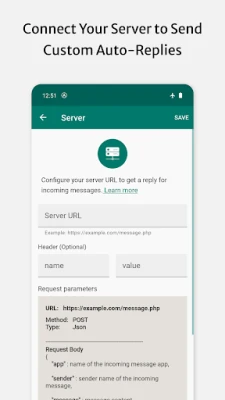
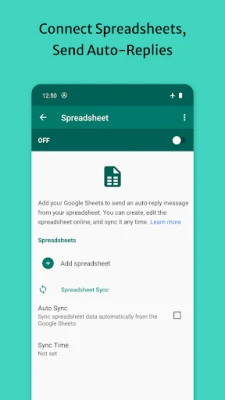
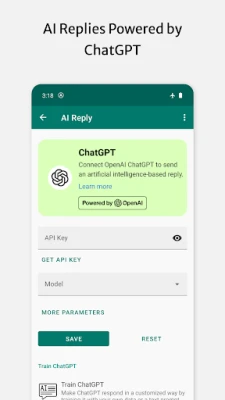
Automatically respond to messages on popular apps like WhatsApp, Facebook Messenger, Telegram, Instagram, and SMS. Choose which apps to enable and customize your reply settings accordingly.
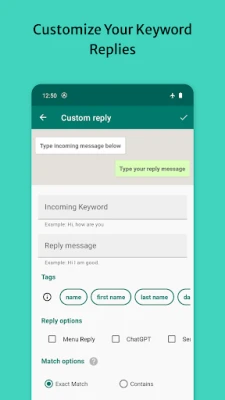
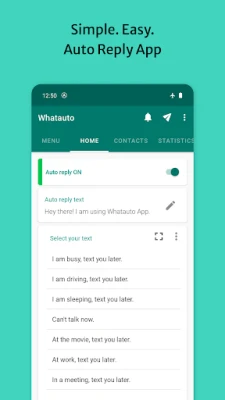
2. Customizable Reply Messages
Create your own personalized replies. You can use templates such as:
-
“I’m currently driving, will text you soon.”
-
“At work right now, I’ll get back to you shortly.”
-
“Thanks for reaching out! Our team will respond soon.”
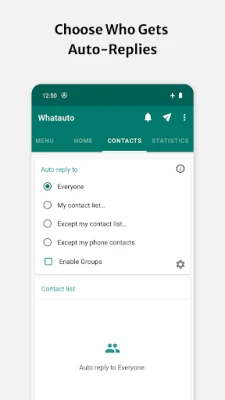
3. Auto Reply to Specific Contacts or Groups
Filter who receives auto replies. You can choose to reply only to contacts, specific numbers, or group chats ideal for personal and professional use.
4. Schedule Auto Replies
Set custom schedules so the app automatically activates during work hours, meetings, or while sleeping. Never forget to turn on your away message again!
5. Driving Mode
Enable Driving Mode to let your contacts know you’re on the road. The app automatically detects movement and sends safe-driving messages, helping you stay focused while driving.
6. DND Mode (Do Not Disturb)
Silence notifications and reply automatically while you’re busy. Perfect for meetings, classes, or study sessions.
7. WhatsApp Business Support
Compatible with both WhatsApp and WhatsApp Business, helping professionals and business owners respond instantly to customer queries even during off-hours.
8. Dual SIM Support
If your phone supports dual SIM cards, WhatAuto lets you manage and send auto replies from both numbers seamlessly.
💼 Why Use WhatAuto?
In a world where instant communication is expected, missing messages can cause frustration or lost opportunities especially for businesses. WhatAuto bridges that gap by ensuring timely, automatic responses when you’re unavailable.
-
For Professionals: Never leave clients waiting. Send automated acknowledgment messages to maintain trust.
-
For Drivers: Stay safe on the road while keeping your contacts informed.
-
For Students: Stay focused during classes or study time.
-
For Businesses: Handle large volumes of customer messages efficiently with auto-replies and instant responses.
🔧 How to Use WhatAuto
-
Download & Install the app from the Play Store.
-
Grant Necessary Permissions (notification access, auto-start).
-
Choose Messaging Apps you want to automate.
-
Set Your Auto Reply Message.
-
Turn On Auto Reply Mode and you’re ready to go!
WhatAuto will now reply automatically based on your selected settings.
🔐 Privacy & Security
WhatAuto respects your privacy. The app does not store or share your messages with third parties. All auto replies are managed locally on your device, ensuring your data remains secure and private.
📲 Download WhatAuto Auto Reply Now
Whether you’re busy working, driving, or sleeping, WhatAuto keeps your conversations active and your contacts informed. Save time, boost productivity, and never leave anyone waiting again.
Rate the App
User Reviews














Popular Apps













 Games
Games Entertainment
 Communication
 Security
 Tools
Tools Media
Media Finance
 Android
 iOS
iOS Windows
 Mac
Mac Linux
Linux