




Latest Version
6.6.7.34585
November 04, 2025
zoom.com
Communication
266 MB
1,000,000,000
Free
us.zoom.videomeetings
Report a Problem
More About Zoom Workplace
Whether you're working from the office, home, or on the go, Zoom Workplace brings together chat, meetings, phone, whiteboard, and calendar into one seamless app experience — making it easier than ever to stay connected with your team.
With millions of users worldwide, Zoom Workplace helps organizations of all sizes communicate smarter, manage projects efficiently, and collaborate securely — all under one digital workspace.
🌟 Key Features of Zoom Workplace
1. Smart Video Meetings
Host or join HD video meetings with crystal-clear audio, screen sharing, and virtual backgrounds. Zoom’s new AI Companion takes meeting notes, summarizes discussions, and generates follow-up tasks automatically.
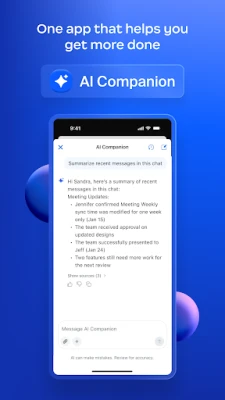
2. AI Companion
Zoom’s AI Companion makes productivity effortless. It can draft chat messages, summarize meetings, write emails, and even catch you up on missed discussions — saving time and improving workflow.
3. Team Chat & Channels
Stay connected with your colleagues through real-time chat. Create team channels, share files, and manage discussions without switching apps.
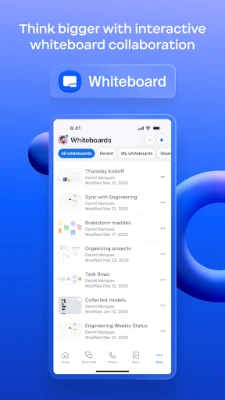
4. Whiteboard Collaboration
Turn your ideas into visuals with the Zoom Whiteboard. Collaborate in real time with sticky notes, drawings, and templates that make brainstorming easier than ever.
5. Calendar & Scheduling Integration
Integrate your Google Calendar, Outlook, or Zoom Scheduler to plan and join meetings instantly. Receive smart reminders and avoid double-booking with automatic availability detection.
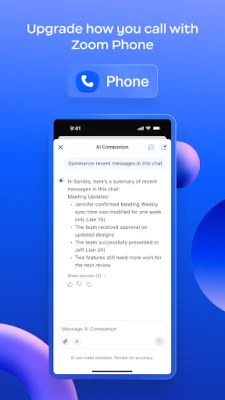
6. Zoom Phone
Make and receive secure voice calls right within Zoom. Enjoy features like call recording, voicemail transcription, and seamless integration with your contacts and meetings.
7. File Sharing & Cloud Storage
Easily share documents, images, and presentations. Access your shared files anytime with integrated cloud storage and permission controls.
8. Custom Avatars & Immersive View
Add fun to your meetings with custom avatars, or host webinars using Immersive View to place participants in virtual environments like classrooms, conference rooms, or auditoriums.
💼 Why Choose Zoom Workplace?
Zoom Workplace transforms how teams collaborate by reducing the need for multiple apps. Instead of switching between chat tools, meeting platforms, and project boards, everything happens in one intuitive interface.
-
Unified Platform: Chat, call, and meet in one place.
-
AI Productivity Tools: Let AI automate your routine tasks.
-
Cross-Device Sync: Access everything across desktop and mobile devices.
-
Enterprise-Grade Security: End-to-end encryption keeps data safe.
-
Scalable Solutions: Perfect for individuals, startups, or global enterprises.
Whether you’re a student, freelancer, or business owner, Zoom Workplace is designed to make collaboration simple, secure, and efficient.
🔐 Security & Privacy
Zoom Workplace uses end-to-end encryption and advanced privacy controls to protect user data. You can lock meetings, manage participants, and control screen sharing with a single click. The platform complies with major international standards like GDPR, SOC 2, and HIPAA, ensuring data safety at every level.
⚙️ How to Get Started
-
Download Zoom Workplace from your device’s app store or desktop client.
-
Sign in or create an account using your email or SSO login.
-
Set up your workspace by connecting calendar, contacts, and chat channels.
-
Start a meeting, chat, or whiteboard session — all from one dashboard.
Zoom Workplace ensures your entire workflow stays connected, wherever you are.
📲 Download Zoom Workplace Now
Experience the future of hybrid collaboration today. Simplify your team’s communication, manage projects seamlessly, and boost productivity with Zoom Workplace — the all-in-one tool for modern work.
Rate the App
User Reviews














Popular Apps













 Games
Games Entertainment
 Communication
 Security
 Tools
Tools Media
Media Finance
 Android
 iOS
iOS Windows
 Mac
Mac Linux
Linux