

Latest Version
15.5.0
November 07, 2025
Bytedance Pte. Ltd.
Tools
197 MB
1,000,000,003
Free
com.lemon.lvoverseas
Report a Problem
More About CapCut - Video Editor
CapCut is a free, all-in-one video editing app that allows users to create stunning videos effortlessly. Developed by Bytedance Pte. Ltd., the same company behind TikTok, CapCut has become one of the most popular video editing tools among content creators, YouTubers, and social media influencers.
With its intuitive interface, advanced AI-powered tools, and massive library of effects, CapCut makes professional-quality editing accessible to everyone — from beginners to experts. Whether you’re editing for TikTok, YouTube, Instagram Reels, or short films, CapCut gives you everything you need to create, edit, and share your vision instantly.
Key Features of CapCut
1. Simple and Intuitive Interface
CapCut offers a clean, user-friendly interface with drag-and-drop functionality, making it easy for anyone to edit videos without experience.
2. Powerful Video Editing Tools
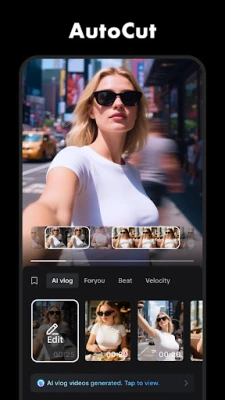
Cut, trim, merge, and split clips with precision. Add overlays, transitions, filters, and animations with just a few taps. The app supports both basic and advanced editing features, allowing for full creative control.
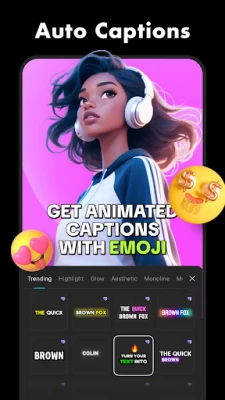
3. AI-Powered Auto Captions
CapCut can automatically generate subtitles and captions using advanced speech recognition technology — perfect for content creators who post on TikTok, YouTube, or Instagram Reels.
4. Massive Library of Effects & Filters
Choose from thousands of trending transitions, effects, and filters to make your videos stand out. The app also updates regularly with new visual trends inspired by social media platforms.
5. Sound Effects and Music Library
CapCut includes a free music library with thousands of licensed soundtracks, sound effects, and voiceovers. You can also extract audio from other clips or import your own music.
6. High-Quality Export (Up to 4K)
Render and export your videos in up to 4K resolution without watermarks. CapCut ensures smooth playback and professional-grade quality.
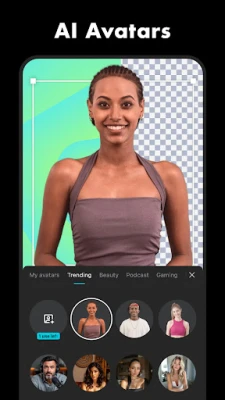
7. AI Background Remover
Instantly remove or replace backgrounds using AI — no green screen required. Perfect for creating professional videos, product demos, or vlogs.
8. Text & Stickers
Add animated text, emojis, and stickers to make your content engaging and fun. CapCut’s text styles and fonts are fully customizable.
9. Speed Control & Motion Effects
Easily speed up or slow down clips, create smooth slow-motion scenes, or use reverse effects to add cinematic creativity.
10. Cloud Sync Across Devices
Your projects automatically sync across devices, so you can start editing on your phone and finish on your laptop seamlessly.
Why Choose CapCut?
CapCut combines ease of use with professional features, making it the perfect editing tool for both beginners and advanced users. Unlike other apps, it’s completely free, with no hidden subscriptions or watermarks.
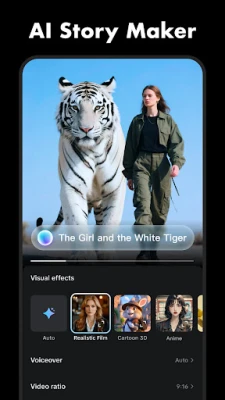
From making trendy TikTok clips to cinematic YouTube videos, CapCut’s all-in-one editing platform offers everything you need — AI tools, templates, transitions, and more — all in one place.
How to Use CapCut Effectively
-
Start with Templates: Use trending CapCut templates to save time.
-
Add Music: Sync video beats with the built-in music tools.
-
Apply Filters & Transitions: Create visually stunning scenes easily.
-
Use AI Auto Captions: Automatically add subtitles for better reach.
-
Export in 4K: Share your videos in the highest quality possible.
App Information
-
App Name: CapCut – Video Editor
-
Developer: Bytedance Pte. Ltd.
-
Category: Video Editing / Media
-
File Size: Varies with device
-
License: Free
-
Latest Version: Updated regularly for new templates and effects
-
Supported OS: Android, iOS, Windows, Mac
Download CapCut
👉 Download Now
Available for Android, iOS, Windows, and macOS devices.
Rate the App
User Reviews
Other Apps in This Category


Popular Apps










 Games
Games Entertainment
 Communication
 Security
 Tools
Tools Media
Media Finance
 Android
 iOS
iOS Windows
 Mac
Mac Linux
Linux