

Latest Version
2025.10.13.820706702
November 04, 2025
Google LLC
Communication
109 MB
1,000,000,000
Free
com.google.android.gm
Report a Problem
More About Gmail
With millions of active users worldwide, Gmail integrates seamlessly with other Google products such as Google Drive, Calendar, Meet, and Docs making it an all-in-one productivity hub for modern users.
Whether you’re managing business emails, collaborating with your team, or staying connected with family and friends, Gmail keeps your messages safe, your inbox clutter-free, and your workflow efficient.
Key Features of Gmail
1. Smart Inbox Organization
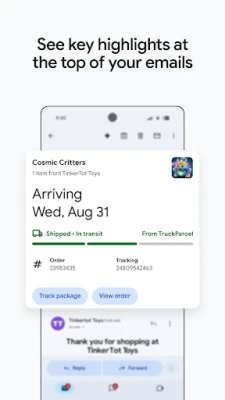
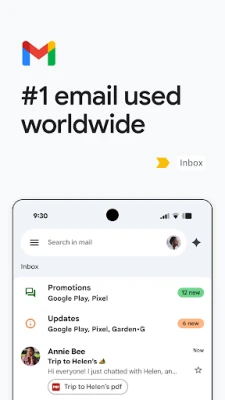
Gmail automatically sorts your emails into categories such as Primary, Promotions, and Social. This helps you focus on important messages while keeping spam and newsletters out of the way.
2. Powerful Spam Protection
Gmail’s advanced spam filters block over 99.9% of unwanted emails. The system continuously learns and updates to protect users from phishing, malware, and suspicious senders.
3. Integration with Google Workspace
Gmail works seamlessly with Google Workspace tools like Google Drive, Docs, Sheets, and Calendar — allowing you to attach files, schedule meetings, and collaborate instantly.
4. AI-Powered Smart Replies and Suggestions
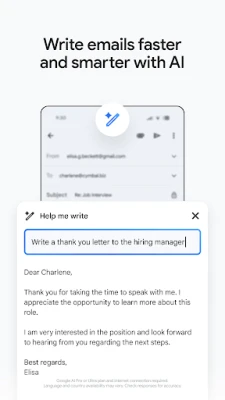
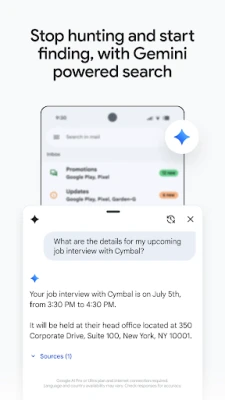
Gmail’s AI assists with smart replies, auto-completion, and predictive typing — saving time and improving productivity. You can also use smart search filters to quickly find specific emails or attachments.
5. Customizable Interface
Users can personalize their Gmail experience with themes, layout settings, and filters. You can set up multiple inboxes, add signatures, or use keyboard shortcuts to navigate faster.
6. Offline Access
Even without an internet connection, Gmail lets you read, reply to, and organize your emails offline. Once you’re reconnected, your changes sync automatically.
7. Secure and Encrypted Communication
Every message sent through Gmail is protected by TLS encryption, ensuring that your data stays private. You can also use confidential mode to set message expiration dates or revoke access.
8. Multi-Account and Device Sync
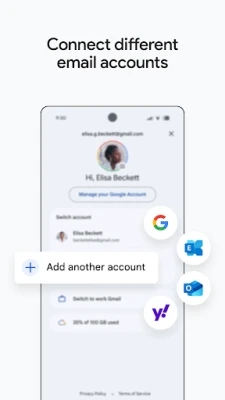
Easily switch between multiple email accounts and sync across Android, iOS, and desktop platforms. Gmail ensures your data is available wherever you are.
Why Choose Gmail?
Gmail isn’t just an email app — it’s a complete communication and productivity tool. With 15GB of free cloud storage shared across Google Drive, Photos, and Gmail, it’s perfect for users who need reliability, speed, and powerful tools in one platform.
Professionals love Gmail for its integration with Google Meet for video calls and Calendar for event scheduling. Students and everyday users enjoy its smart organization and easy accessibility. Plus, with Google’s robust privacy and security infrastructure, you’re always in safe hands.
How to Use Gmail Efficiently
-
Create Filters: Automatically label, archive, or delete emails based on sender or keywords.
-
Enable Keyboard Shortcuts: Navigate your inbox quickly with customizable shortcuts.
-
Use Confidential Mode: Send sensitive emails that self-destruct after a chosen time.
-
Schedule Emails: Write now, send later — perfect for managing different time zones.
-
Integrate Extensions: Use Gmail add-ons like Grammarly, Zoom, or Trello to boost productivity.
Rate the App
User Reviews














Popular Apps












 Games
Games Entertainment
 Communication
 Security
 Tools
Tools Media
Media Finance
 Android
 iOS
iOS Windows
 Mac
Mac Linux
Linux