
Latest Version
3.6.5
November 07, 2025
Videolabs
Media
94 MB
1,000,000,000
Free
org.videolan.vlc
Report a Problem
More About VLC
From playing high-quality 4K videos to streaming online content, VLC delivers a smooth and stable experience on any device Android, iOS, Windows, macOS, and Linux alike.
Main Features
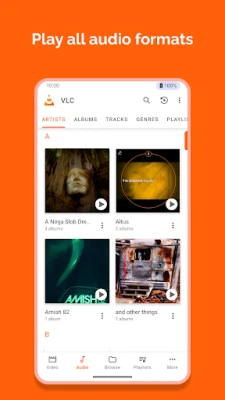
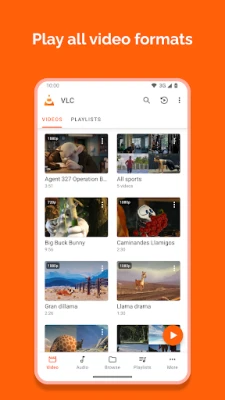
🎬 1. Plays All Video & Audio Formats
VLC can play almost any media format including MP4, AVI, MKV, MOV, FLAC, WMV, and more no need for additional codec packs. You can even play damaged or incomplete files with ease.
⚡ 2. Lightweight & Fast Performance
Despite its powerful capabilities, VLC is incredibly lightweight. It doesn’t consume much RAM or battery, making it ideal for older devices too.
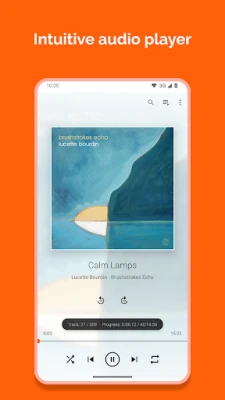
🔊 3. Advanced Audio Controls
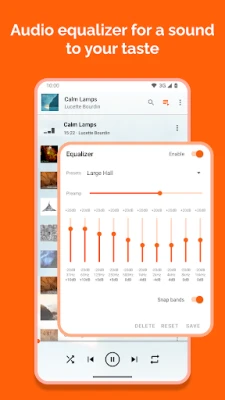
Enhance your listening experience with VLC’s built-in equalizer, audio normalization, and customizable sound effects. It supports multi-channel audio and hardware decoding for crisp, clear playback.
🌐 4. Network & Online Streaming
VLC isn’t just for offline media. You can stream from online sources, network drives, or live URLs including YouTube, IPTV, and radio stations.
🧠 5. Subtitle Support
Easily load, edit, or sync subtitles in multiple formats (.srt, .sub, .ass). VLC even allows you to download subtitles directly from the internet while watching a video.
🧩 6. Extensions & Custom Skins
Personalize VLC with downloadable skins and plugins. You can add new features, visualizations, or themes to make your player match your style.
📱 7. Cross-Platform Sync
Watch a movie on your laptop, pause it, and continue on your phone. VLC ensures smooth playback and file compatibility across all platforms.
Why Choose VLC Media Player?
VLC has been the gold standard for media players for over two decades. It’s open-source, completely free, and contains no ads or spyware which makes it one of the safest video players you can use.
Unlike other media players, VLC runs smoothly on all devices, supports subtitles in various languages, and can even convert media files into different formats.
If you want a reliable, fast, and customizable media player VLC is your best choice.
Bonus Features
-
Play DVDs, Blu-ray, and CDs easily
-
Record your screen or video clips
-
Stream to Chromecast and Smart TVs
-
Supports playlists and audio visualization
-
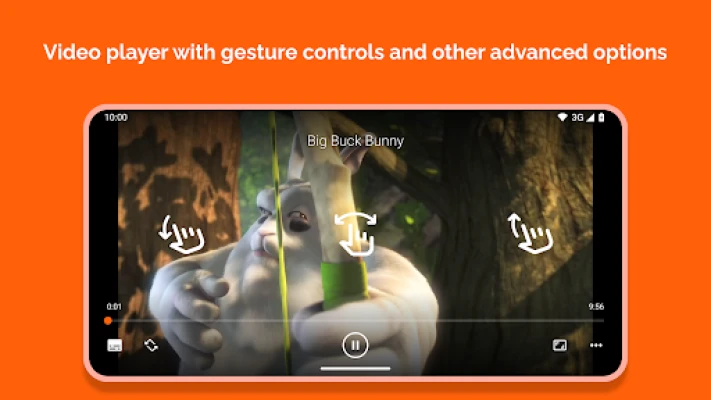
Video rotation and playback speed control
Security & Privacy
VLC is completely open-source and community-maintained. It doesn’t collect personal data or show any intrusive ads. You’re always in control of your media privacy.
All updates are verified and secure, making VLC one of the most trustworthy players available.
System Requirements
-
Android: 6.0 or higher
-
iOS: 12.0 or higher
-
Windows: 7/8/10/11
-
Mac: macOS 10.13 or higher
-
Storage: At least 200MB free space
How to Download VLC Media Player
-
Click on the Download Now button below.
-
Choose your platform (Android, iOS, or PC).
-
Follow the installation steps.
-
Open VLC and start watching your favorite videos instantly!
Conclusion
VLC Media Player is not just another media app it’s a universal solution for all your video, music, and streaming needs. With no ads, no bloatware, and full open-source freedom, VLC gives you complete control over your entertainment experience.
Whether you’re watching HD movies, streaming live content, or listening to your favorite tracks VLC Media Player ensures flawless performance every time.
📲 Download VLC Media Player today play everything, everywhere, for free!
Rate the App
User Reviews
Other Apps in This Category
Popular Apps










 Games
Games Entertainment
 Communication
 Security
 Tools
Tools Media
Media Finance
 Android
 iOS
iOS Windows
 Mac
Mac Linux
Linux